












































Set up webhooks in the dashboard, receive deliveries and verify the HMAC signature – with examples for curl, Node.js and PHP.
A webhook sends an HTTP request to your server as soon as something happens in your workspace – for example when a page is published. That way you do not have to keep asking whether anything has changed. Every delivery is signed so that your server can tell genuine messages from forged ones.
Requirements
- Owner or admin in the workspace – the “Webhooks” menu item only appears for these roles
- From Creator Pro; in Creator Free it says “Webhooks are available from Creator Pro.”
- Up to 5 webhooks in Creator Pro, 25 in Creator Agency, 100 in Enterprise (adjustable)
- A server that can be reached at a public https address
You manage webhooks only in the dashboard. They cannot be created or changed with API keys.
Create a webhook
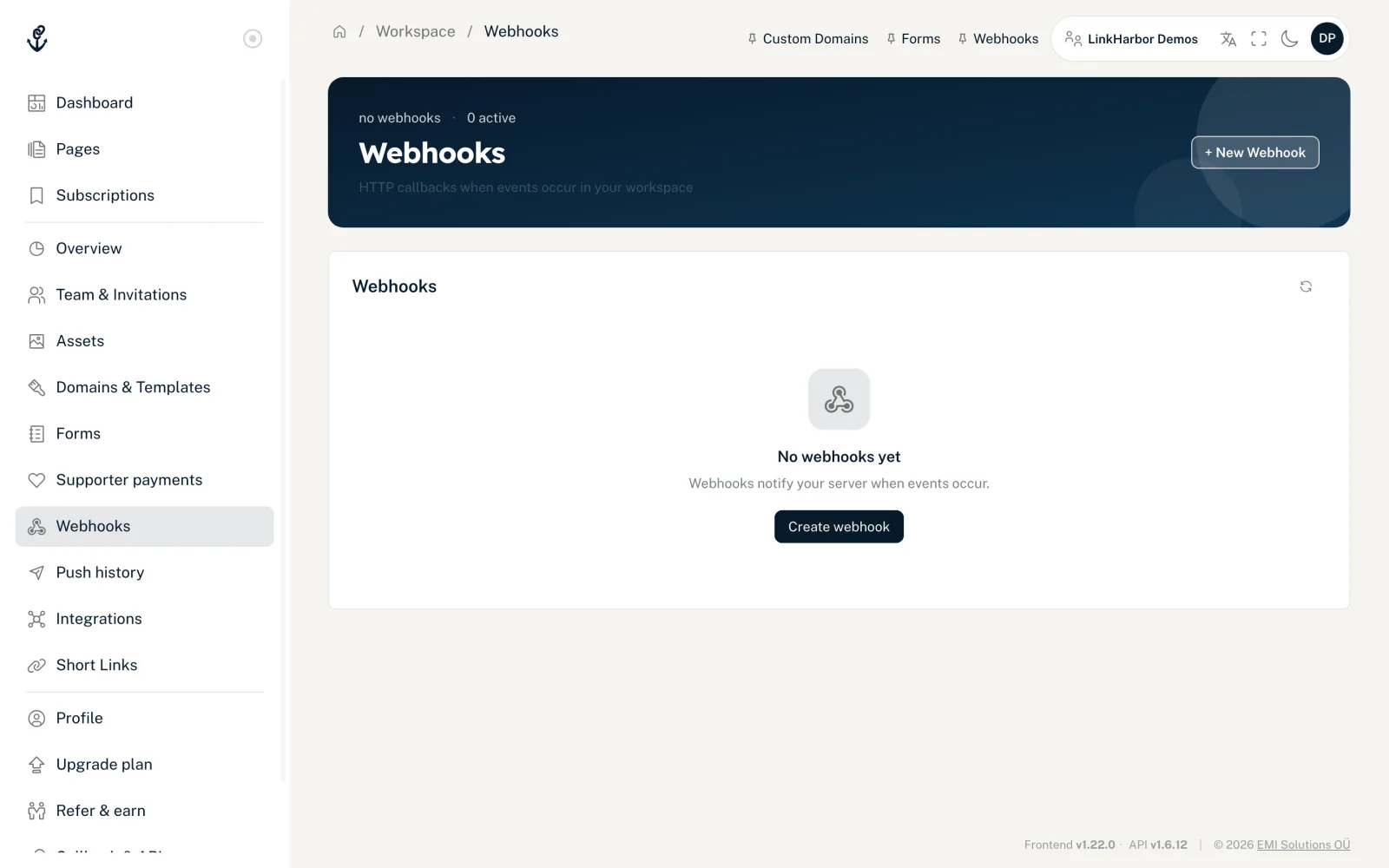
- Open “Webhooks” in the navigation
- Click “+ New Webhook”
- Enter the target URL and choose the events
- Optional: enter a description and choose the status
- Click “Create webhook”
- In the “Done” step, copy the signing secret (“Signing secret – visible only now”) and store it on your server – it is only shown now
- Test the webhook with “Test”. The result stays on the card until the next test: “Delivered successfully” or “Not delivered” with the HTTP code (or “no response”), the duration and the start of the response
- “Target URL (https://…)”
- Up to 2048 characters. https only, no credentials in the URL, no localhost addresses and no internal names such as .local, .internal or .lan. The name must point to public IP addresses; LinkHarbor checks this again before every delivery.
- “Events”
- At least one event. Each group has “Select all” and “Deselect all”.
- “Description”
- Optional, up to 255 characters – for example, what the webhook is for.
- “Status”
- “Active” or “Disabled”. Disabled webhooks receive no deliveries.
Events
| Event | In the dashboard | When | Contents of data |
|---|---|---|---|
| page.published | Page published | A page was published – in the dashboard, via the API or by an AI assistant | page_id, version, checksum, published_by_user_id (null for API keys and AI assistants) |
| form.submitted | Form submitted | A visitor submitted a form on one of your pages | form_id, form_name, submission_id, page_id, block_id, submitted_at, values (field key → value), consent (consent key → true/false) |
| domain.verified | Domain verified | A custom domain was verified successfully | domain_id, hostname, verification_method, status |
| domain.disabled | Domain disabled | A custom domain was disabled in the dashboard (not on a downgrade) | domain_id, hostname, status |
| webhook.test | – (“Test” button) | You click “Test” | message (a note in the account language of whoever starts the test; do not match on it) |
form.submitted contains the values exactly as the visitor submitted them, but never their IP address or browser. The delivery runs in the background: the visitor does not wait for it, and a failed delivery does not prevent the submission.
Structure of a delivery
LinkHarbor sends every delivery as a POST with a JSON body and these headers:
| Header | Contents |
|---|---|
| Content-Type | application/json |
| X-LinkHarbor-Event | Name of the event, for example page.published |
| X-LinkHarbor-Delivery-Id | Unique ID of this delivery (UUID), identical to id in the body |
| X-LinkHarbor-Timestamp | Time of sending in Unix seconds |
| X-LinkHarbor-Signature | sha256= followed by the HMAC-SHA256 signature in hex |
| X-LinkHarbor-Signature-Version | v1 |
{
  "id": "3f1c2a9e-8d4b-4a51-9f0e-6b7c1d2e3f40",
  "event": "page.published",
  "created_at": "2026-11-01T09:30:12+00:00",
  "data": {
    "page_id": 42,
    "version": 8,
    "checksum": "9b1e5c…",
    "published_by_user_id": 7
  }
}
Redeliveries get a new id plus the fields redelivery_of (the ID of the delivery being repeated) and delivery_root (the ID of the first delivery in this chain).
Verify the signature
Every webhook has its own signing secret (32 hex characters). You see it exactly once: in the last step when you create the webhook and right after “Secret ↺”. Copy it to your server straight away – LinkHarbor does not show it again later. LinkHarbor uses it to calculate the signature like this:
- Build the message: timestamp, dot, delivery ID, dot, raw body – i.e. timestamp.delivery_id.body
- Calculate HMAC-SHA256 over this message with the signing secret as the key
- Send the result as a hex string with the prefix sha256=
Your server should check the signature with a constant-time comparison, reject deliveries with a timestamp older than 300 seconds and store the delivery IDs for at least that long to recognise repeats. Important: the raw body is signed, exactly as it arrives – not JSON you have re-encoded.
import crypto from 'node:crypto';
import express from 'express';

const app = express();
const SECRET = process.env.LH_WEBHOOK_SECRET;
const seen = new Set(); // in production: a database or Redis with expiry

app.post('/webhooks/linkharbor', express.raw({ type: 'application/json' }), (req, res) => {
  const ts = req.get('X-LinkHarbor-Timestamp') || '';
  const id = req.get('X-LinkHarbor-Delivery-Id') || '';
  const sig = req.get('X-LinkHarbor-Signature') || '';

  if (!/^\d+$/.test(ts) || Math.abs(Date.now() / 1000 - Number(ts)) > 300) {
    return res.status(400).send('timestamp');
  }

  const expected = 'sha256=' + crypto
    .createHmac('sha256', SECRET)
    .update(ts + '.' + id + '.')
    .update(req.body) // raw body as a Buffer
    .digest('hex');

  const a = Buffer.from(expected);
  const b = Buffer.from(sig);
  if (a.length !== b.length || !crypto.timingSafeEqual(a, b)) {
    return res.status(401).send('signature');
  }

  const event = JSON.parse(req.body.toString('utf8'));
  const key = event.delivery_root || event.id; // recognise redeliveries of the same chain
  if (!seen.has(key)) {
    seen.add(key);
    // process here, ideally asynchronously in a queue
  }
  res.sendStatus(200);
});

app.listen(3000);<?php
$secret = getenv('LH_WEBHOOK_SECRET');
$body = file_get_contents('php://input');
$ts = $_SERVER['HTTP_X_LINKHARBOR_TIMESTAMP'] ?? '';
$id = $_SERVER['HTTP_X_LINKHARBOR_DELIVERY_ID'] ?? '';
$sig = $_SERVER['HTTP_X_LINKHARBOR_SIGNATURE'] ?? '';
if (!ctype_digit($ts) || abs(time() - (int)$ts) > 300) {
http_response_code(400);
exit('timestamp');
}
$expected = 'sha256=' . hash_hmac('sha256', $ts . '.' . $id . '.' . $body, $secret);
if (!hash_equals($expected, $sig)) {
http_response_code(401);
exit('signature');
}
$event = json_decode($body, true);
// Recognise duplicate deliveries by $event['delivery_root'] ?? $event['id'],
// then process.
http_response_code(200);Test your endpoint with curl
This script sends a correctly signed test delivery to your own server – handy before you create the webhook in LinkHarbor:
SECRET="your-signing-secret"
URL="https://example.com/webhooks/linkharbor"
TS=$(date +%s)
ID=$(uuidgen | tr 'A-Z' 'a-z')
BODY='{"id":"'"$ID"'","event":"webhook.test","created_at":"2026-11-01T09:30:12+00:00","data":{"message":"This is a test event for this webhook."}}'
SIG="sha256=$(printf '%s' "$TS.$ID.$BODY" | openssl dgst -sha256 -hmac "$SECRET" -hex | sed 's/^.* //')"

curl -X POST "$URL" \
  -H "Content-Type: application/json" \
  -H "X-LinkHarbor-Event: webhook.test" \
  -H "X-LinkHarbor-Delivery-Id: $ID" \
  -H "X-LinkHarbor-Timestamp: $TS" \
  -H "X-LinkHarbor-Signature: $SIG" \
  -H "X-LinkHarbor-Signature-Version: v1" \
-d "$BODY"Response, timeout and redelivery
- Any response with a 2xx status counts as success; redirects (3xx) are not followed
- Your server has 10 seconds to respond, and at most 5 seconds to establish the connection
- All webhooks for one event share a total of 25 seconds; any that have not had their turn by then are marked as failed and can be redelivered
- LinkHarbor does not retry failed deliveries automatically
- You can resend failed deliveries by hand, but not one that has since succeeded. The redelivery has a new id and a new created_at
- A maximum of 3 attempts is allowed per event, including the first delivery; after that it ends up under “Dead Letters” and can no longer be resent
Deliveries in the dashboard
“Deliveries” opens a webhook's log. It has three tabs:
- “All Deliveries”
- All deliveries, with filters for event, status (“Success (2xx)”, “Client error (4xx)”, “Server error (5xx)”, “Failed”) and “Limit”. “↺ Retry” delivers a failed delivery again, as long as there is no later successful one. Clicking a row shows the request, response, body and raw JSON.
- “Replays”
- Chains of redeliveries with the result “Recovered” or “Still failing” and the number of attempts.
- “Dead Letters”
- Deliveries where every allowed attempt failed – the first delivery and the redeliveries together. The tab is view-only: they can no longer be redelivered. Check your endpoint; new events are then delivered as usual. If you need the data, fetch it via the API.
If a redelivery does not go through, the dashboard gives the reason:
- “Not redelivered: this event has already failed … times, no more attempts are possible. You will find it under ‘Dead Letters’.”
- All 3 attempts have been used up.
- “Not redelivered: this event has since been delivered successfully.”
- A later delivery in the same chain has already succeeded.
Verification in the dashboard
Under “Verification” you will find two aids:
- “Verification Kit”
- “Load kit” shows the algorithm, the header names, the format of the signed message and the recommended tolerance of 300 seconds. The secret itself is not included.
- “Verify signature”
- Enter the delivery ID, timestamp, signature and raw request body of a delivery you received. LinkHarbor then tells you “Signature valid” or “Signature invalid”. Copy the timestamp and signature from the X-LinkHarbor-Timestamp and X-LinkHarbor-Signature headers. The check only works for deliveries from the last 5 minutes; for older ones it reports “Signature invalid” even if the signature is correct.
Rotate the secret, disable, delete
- “Secret ↺” generates a new signing secret and shows it once; the old one stops working immediately, and your server has to use the new one
- Under “Edit”, set the status to “Disabled” to pause deliveries
- The bin icon deletes the webhook; until you close the message, you can cancel with “Undo”
When you move to a smaller plan, webhooks above the new limit are disabled, and in Creator Free all of them. They are kept; after an upgrade, LinkHarbor automatically re-enables disabled webhooks up to the new plan's limit – including ones you disabled yourself.
You might also find this useful
Nothing found?
Tell us what you need, and our support team will help you personally.