












































How your shop reports sales back to LinkHarbor: click ID, callback secret and sale callback. Plus how supporter payments count as conversions.
A conversion is a sale or supporter payment that LinkHarbor can attribute to a click on your page. That way you see not only how often a link was clicked but also what came of it. This article is for creators with their own shop and for the developers who connect the shop. You can analyse conversions and create callback secrets from Creator Pro.
Where conversions come from
- Sales that your shop or server reports via a sale callback
- Supporter payments via Stripe; a refund removes the conversion again, see Supporter payments with Stripe
Each conversion inherits the data of the click it belongs to: page, link, country, device, referrer and UTM parameters. That is why it appears in the statistics exactly where the click came from.
How attribution works
- A visitor clicks a link on your page
- LinkHarbor counts the click and, when redirecting, appends the lt_click_id parameter with a unique click ID to the target URL
- Your target page (for example the shop) reads lt_click_id from the address and keeps it until the purchase
- After the purchase, your server sends a sale callback with this click ID to LinkHarbor
- The conversion appears on the dashboard and in the page's statistics
The click ID is only appended to targets starting with http:// or https://. Links to mailto: or tel: do not get one, because the parameter would corrupt the subject or phone number there. Clicks from bots do not get a click ID either.
Create a callback secret
A sale callback has to identify itself with a callback secret. Owners and admins manage secrets from Creator Pro under “Callback & API” in the account section of the menu.
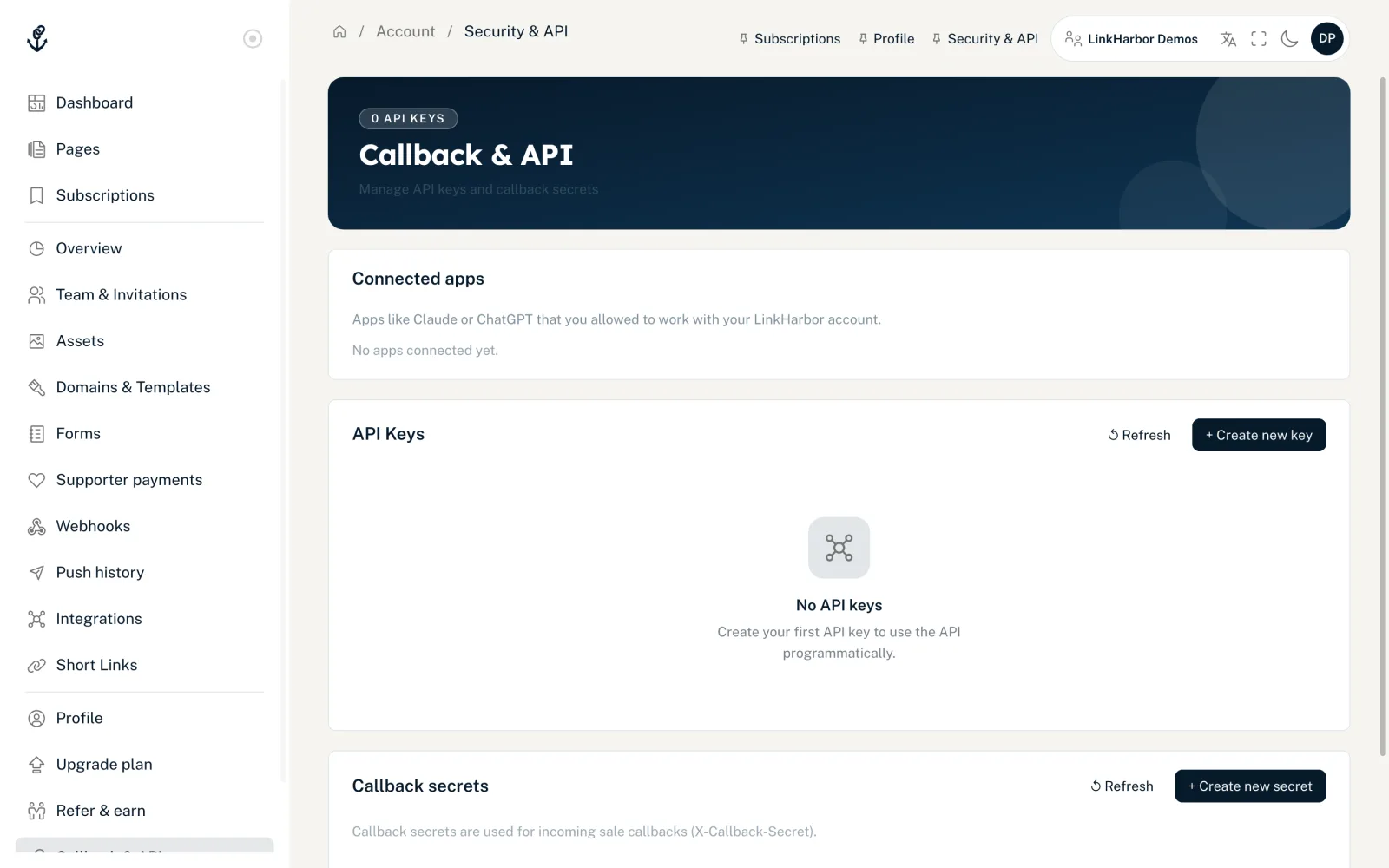
- Open “Callback & API”
- In the “Callback secrets” card, click “+ Create new secret”
- Optionally enter a name, for example “Shop callback”
- Click “Create secret”
- Copy the secret straight away: it is only shown once
- “Edit”
- Change the name and the status (Active or Inactive). An inactive secret is rejected.
- “↺ Rotate”
- Creates a new secret. The old one stops working immediately – so enter the new one in your shop right away.
- “Delete”
- Removes the secret after a confirmation prompt.
- “Last callback:”
- Shows when the secret was last used, otherwise “Not yet used”.
You can create up to 5 callback secrets per workspace.
Send the sale callback
Your server sends a POST request to the LinkHarbor API. The secret goes in the X-Callback-Secret header.
curl -X POST https://dock.at-harbor.com/v1/callbacks/sale \
  -H "Content-Type: application/json" \
  -H "X-Callback-Secret: YOUR_CALLBACK_SECRET" \
  -d '{
    "click_id": "3f2b8c1e-5d4a-4b7e-9a10-2c6d8e0f1a23",
    "order_id": "B-10042",
    "amount": "49.90",
    "currency": "EUR"
}'- click_id
- Required. The click ID from lt_click_id (10–36 characters).
- order_id
- Required. Your order number (1–128 characters). Only one conversion is counted per order number, so a repeated callback does not create a second one.
- amount
- Required. The amount as a decimal number.
- currency
- Required. A 3-letter currency code, for example EUR.
- occurred_at, meta
- Optional. The time of the purchase and up to 50 custom keys (1–64 characters each) with extra information. A value is text of at most 500 characters, a number, true/false or null; the API rejects nested objects.
Responses
| Status | Meaning |
|---|---|
| 200 | Conversion saved; the response contains the conversion_id |
| 403 | Secret wrong or inactive – or the click ID is unknown if you do not send a workspace_id |
| 404 | Click ID unknown (only if you send your workspace_id) |
| 413 | The body is larger than 1 MB (request_too_large) |
| 422 | A required field is missing or has the wrong format, such as a value in meta that is too long or nested |
| 429 | More than 120 callbacks per minute from the same IP address |
All fields and error codes for developers are in Sending sales and custom data.
Analysing conversions
- Dashboard: the “Conversions” and “CVR” tiles and the “Conversions” card by UTM source and medium
- Page statistics: the “Conversions” card with “CVR Total”, “CVR Unique” and “Breakdown”
- CVR Total = conversions divided by clicks; CVR Unique = conversions divided by unique clicks
You might also find this useful
Nothing found?
Tell us what you need, and our support team will help you personally.