












































Recommend LinkHarbor and earn from every payment your referrals make: activate the programme, share code and link, commissions and payouts.
With the referral programme you earn from every payment made by the people you bring to LinkHarbor. It is tied to your account, not to the workspace, and is open to every user, regardless of plan and role. You find it in the menu under “Refer & earn”.
The terms
The standard terms are:
| Standard | |
|---|---|
| Commission | 20 % of every payment, calculated on the net amount excluding tax |
| Duration | 12 months from the first payment |
| Holding period | 30 days after the payment, then “available” |
| Minimum payout | 25 per currency |
| How long visitors are remembered | 30 days, the first contact counts |
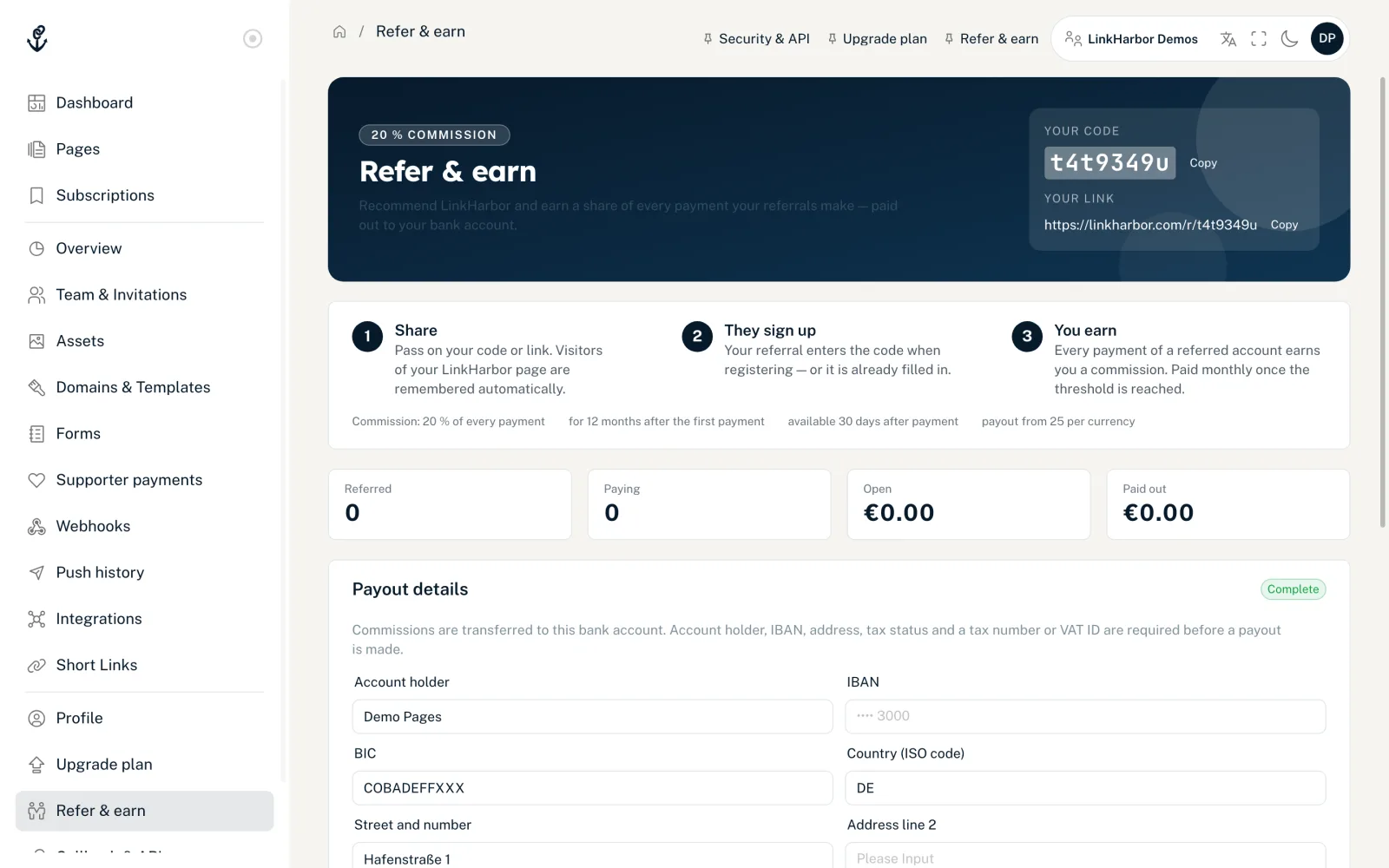
The values that apply to you are always shown on your “Refer & earn” page, in the card with the steps “Share”, “They sign up” and “You earn”. If there is a discount for your referrals, it is mentioned there as well.
Activating the programme
Referrals only count once the programme is active. Until then your code and your link lead nowhere, and nothing is credited.
- Open “Refer & earn” in the menu
- Under “Payout details”, fill in all required fields and click “Save”
- In the “Activate the affiliate program” section, tick the box to accept the terms; the programme description is available as a PDF
- Click “Activate program”
You then see “Program activated. Your code and link are live now.”
Payout details
Commissions are transferred to your bank account. LinkHarbor issues a credit note for every payout. At the top it says “Complete” or “Incomplete”.
- “Account holder”, “IBAN”, “BIC”
- Your bank details. The IBAN is validated, stored encrypted and only shown masked.
- “Country (ISO code)” and address
- Two-letter country code such as DE, plus “Street and number”, “Address line 2”, “Postal code” and “City”.
- “Tax status”
- “Private person”, “Small business (no VAT)”, “VAT registered” or “Outside the EU”.
- “Tax number” or “VAT ID”
- One of the two is required. Without it, nothing is paid out, but your commissions keep accumulating.
Referring
At the top of the page are “Your code” and “Your link”, each with a copy button. There are two ways a referral is attributed to you:
- Link or page visit
- Anyone who opens your referral link or visits one of your pages under linkharbor.com is remembered for 30 days. If the person signs up during that time, the referral counts for you. Nobody is remembered on custom domains.
- Code at sign-up
- The person enters your code when signing up. A typed code always takes priority. If they come via your link, it is already filled in.
Key figures and tables
- “Referred”
- All registered, confirmed and paying referrals.
- “Paying”
- Referrals with a paid plan.
- “Open”
- Commissions not yet paid out, per currency.
- “Paid out”
- Commissions already transferred.
Below them are three tables. “Referrals” shows every referred person with a masked e-mail, status (“Registered”, “Confirmed”, “Paying” or “Void”), source (“Code” or “Page visit”) and earnings. “Commissions” lists every entry with type, amount, status and “Available from”. “Payouts” shows the transfers with period, date and credit note, which you can save with “Print / save as PDF”.
Reversals
If a payment is refunded, cancelled or disputed, the related commission is reversed. If it has already been paid out, a negative “Reversal” appears, which is deducted from the next payout.
Payout
As soon as your available commissions reach the minimum amount and your payout details are complete, the LinkHarbor team transfers them to your bank account once a month in one batch. You then receive an e-mail, and the credit note appears under “Payouts”.
If your affiliate account is paused, the page shows: “Your affiliate account is currently paused. Existing referrals stay, new ones are not counted.”
You might also find this useful
Nothing found?
Tell us what you need, and our support team will help you personally.