












































Send a push notification to a page's followers, highlight an item and announce products, videos or events from the catalogue with one click.
Besides automatic rules, you can send a push notification to your followers yourself at any time: written freely about a page, or as an announcement of a product, video, release or event from a catalogue integration. Owners and admins can do both. Every notification counts towards the weekly limit.
Manual push notification
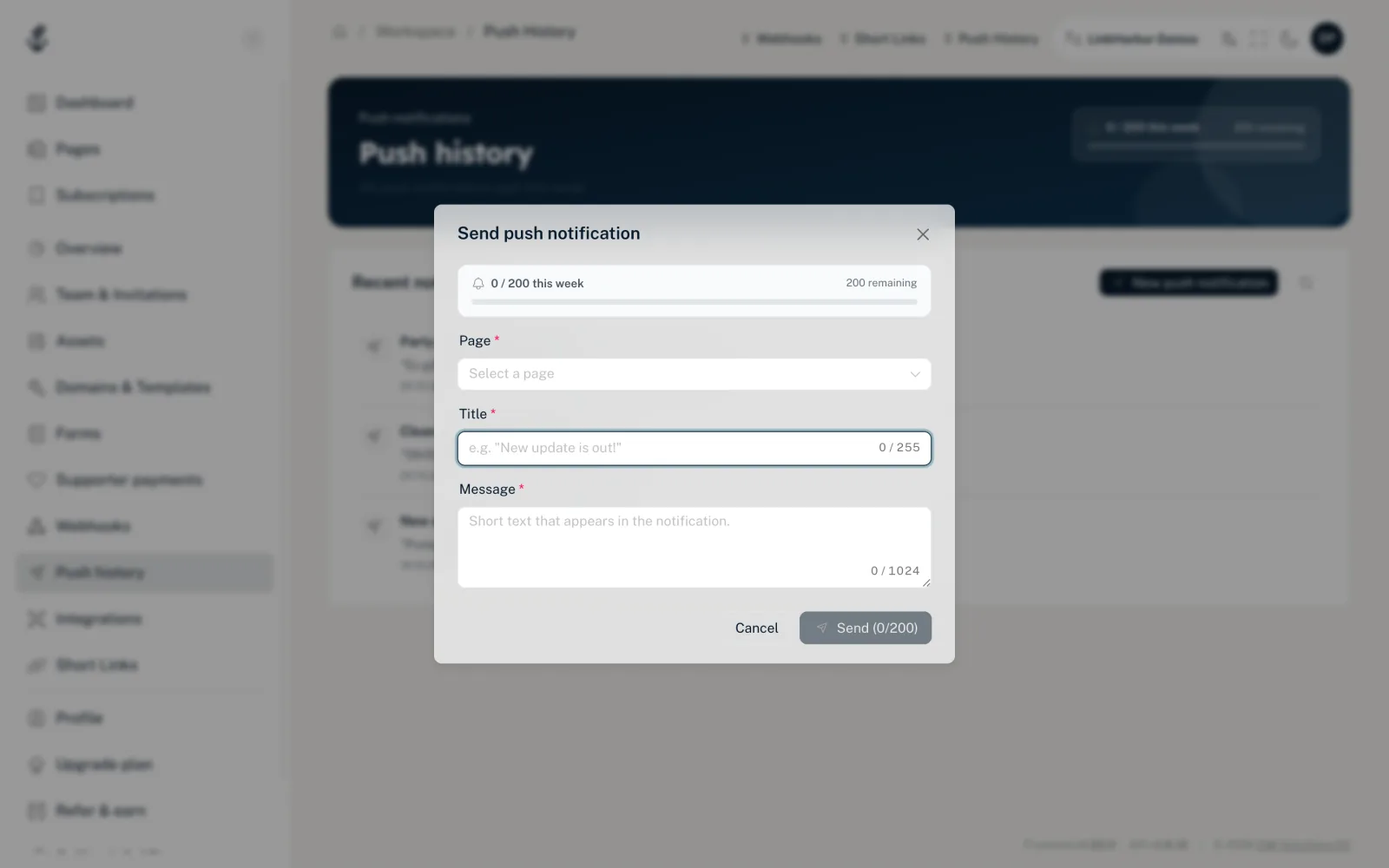
- In the menu under Workspace, open “Push history”
- Click “New push notification”
- Fill in the fields
- Click “Send”; the number in brackets shows where you stand this week
- “Page”
- Required. The page whose followers receive the notification.
- “Related to (optional)”
- Appears once you have chosen a page. A link, an integration or a block on the page. Tapping the notification opens the page in the app, and the chosen item is highlighted there. Without a choice (“Don't highlight anything”), the page simply opens.
- “Title”
- Required, up to 255 characters. The bold first line of the notification.
- “Message”
- Required, up to 1024 characters. The text below it.
After sending, “Push notification queued!” appears. The notification then shows up in the push history.
Announcement from the catalogue
For catalogue integrations – Shopify, WooCommerce, Eventbrite, YouTube and Spotify – there is a shortcut. You pick an entry, and LinkHarbor pre-fills a matching message.
- Open “Integrations” and click the card of the catalogue integration
- In the detail view, click “Pick item” under “Announce to followers”
- In the “Browse catalog” dialog, find the entry and click it; “Load more” shows more
- Adjust the title and message in the “Send announcement” dialog
- Click “Send to followers”
If the integration has expired, “Pick item” is disabled – re-authorise it first.
- “Title”
- Up to 255 characters, pre-filled depending on the type of entry (product, video, release or event).
- “Message”
- Up to 1024 characters, also pre-filled.
An announcement goes to all followers of your pages in the workspace who have push enabled. Then “Announcement sent” appears; your followers receive the notification within the next few seconds.
Error messages
- “Push limit reached”
- Your weekly limit is used up. The week is rolling, so quota frees up again bit by bit.
- “Too many announcements in a short time. Please wait a moment.”
- You sent several announcements in quick succession. Wait a moment.
- “Title or message is invalid.”
- A field in the announcement is empty or too long.
- “Please fill in title and message.”
- The title or message of the manual notification is empty.
- “Please select a page.”
- The page is missing from the manual notification.
Who receives the notification
Only followers who follow your page in the LinkHarbor app and have allowed notifications. The push history shows how many recipients a notification had. More in Followers and push notifications.
You might also find this useful
Nothing found?
Tell us what you need, and our support team will help you personally.