












































Which platforms you can connect to LinkHarbor, what their live widgets show, how often they update and which push options they offer.
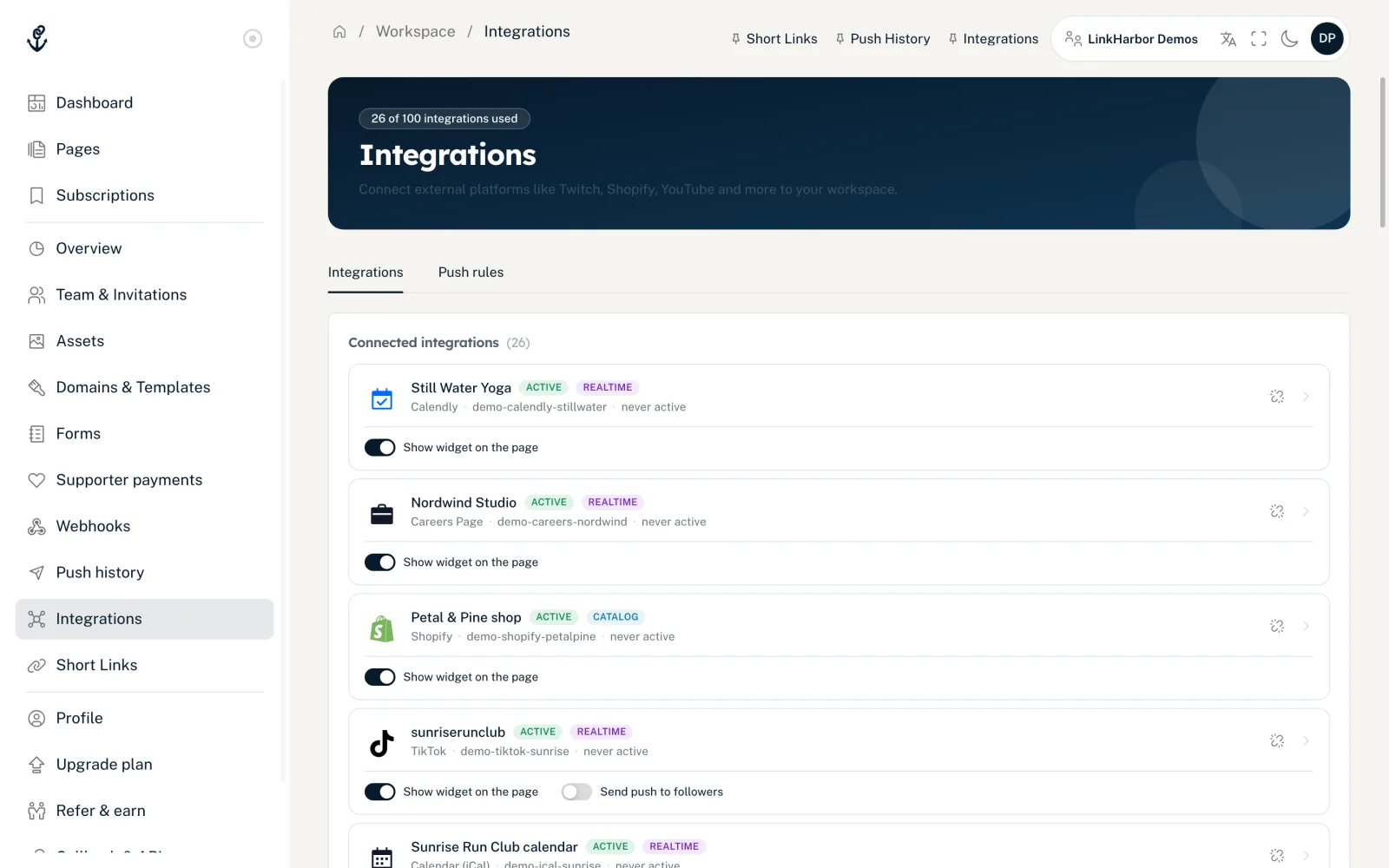
Integrations connect your workspace to other platforms – such as Twitch, YouTube, Shopify or your calendar. They give you live widgets on your page that update by themselves, and push notifications to your followers. Integrations are available from Creator Pro.
Plan and permissions
| Plan | Connected integrations |
|---|---|
| Creator Free | – |
| Creator Pro | 10 |
| Creator Agency | 50 |
| Enterprise | 100 |
What counts is connected accounts, not platforms: if you connect two YouTube channels, that counts twice. Expired connections count too until you disconnect them, as do the Stripe connection for the “Support” block and every Custom (API) integration. The top of the page shows where you stand, for example “3 of 10 integrations used”.
All roles can see the “Integrations” page. Only owners and admins can connect, disconnect, flip switches, create push rules and send announcements. Editors and viewers see the connected integrations, the push rules and the history, but not the provider catalogue, webhook URLs or secrets.
Realtime and catalogue
Every connected integration carries one of two badges. It shows whether you pick entries yourself and how push notifications come about.
- “Realtime”
- The platform delivers its data on its own; you do not need to pick anything. For Instagram, TikTok, Twitch, GitHub, GitLab, RSS / Podcast, Match Day, Google Places, Yelp and Custom (API), automatic push rules can turn this into notifications to your followers. Calendly, Calendar (iCal), Careers Page, Ticket Tailor and Ticketmaster only show a widget and send no push notifications.
- “Catalog”
- The platform delivers a selection of products, videos, releases or events. You choose entries for your widget and announce something new with one click as an announcement.
All platforms
Today you can connect 19 platforms:
| Platform | Widget shows | Updates | Push |
|---|---|---|---|
| Calendar (iCal) | Upcoming dates from a calendar subscription link | Every 30 minutes | – |
| Calendly | Bookable event types with the next free times | Every 15 minutes | – |
| Careers Page | Open positions from Greenhouse, Lever, Ashby, SmartRecruiters, Recruitee or Personio | Hourly | – |
| Eventbrite | Selected events | Instantly on changes | Announcement |
| GitHub | Latest release and stars of a repository | Instantly via webhook | Automatic |
| GitLab | Latest release of a project | Instantly via webhook | Automatic |
| Google Places | Stars, number of reviews and address | Once a day | Automatic |
| Latest post with caption or a grid of recent posts, with follower count in the “Maximal” layout | Every 15 minutes | Automatic | |
| Match Day | Current match, upcoming matches, last result (football only for now) | Every few minutes during a match, otherwise several times a day | Automatic |
| RSS / Podcast | Latest episode or latest post | Every 15 minutes | Automatic |
| Shopify | Selected product cards | Instantly on product changes | Announcement |
| Spotify | Selected releases from an artist page | Every 30 minutes | Announcement |
| Ticket Tailor | Upcoming dates with date, venue, price and ticket button | Every 30 minutes | – |
| Ticketmaster | Upcoming dates of an artist, team or venue | Hourly | – |
| TikTok | Latest video with cover, title, views and date, with follower count in the “Maximal” layout | Every 15 minutes | Automatic |
| Twitch | Live or offline card of your channel | Instantly | Automatic |
| WooCommerce | Selected product cards | Instantly via webhook | Announcement |
| Yelp | Stars, number of reviews and address | Once a day | Automatic |
| YouTube | Selected videos | Every 15 minutes | Announcement |
Special cases
- Needs a Business or Creator account that is linked to a Facebook Page. You sign in through Facebook. A private Instagram account cannot be connected.
- Stripe
- No widget. Stripe is only the payout account for the “Support” block, see Support payments with Stripe.
- Custom (API)
- For developers: a game server or status card that your own tool fills live, plus automatic push notifications. See Sending sales and your own data.
Next steps
- Connect a platform: Connect an integration
- Put the widget on your page: Live widgets on your page
- Notify your followers: Followers and push notifications
You might also find this useful
Nothing found?
Tell us what you need, and our support team will help you personally.