












































A visitor wants to know what data you hold about them or asks for erasure? Which data you see, how to find it and where to refer them.
Sometimes someone who visited your page or filled in your form writes to you: What data do you have about me? Please delete it. This article shows which visitor data you actually see in LinkHarbor, how to find it and which requests LinkHarbor answers itself.
Which visitor data you see
| Data | What you see | Who manages the data |
|---|---|---|
| Form submissions | All field values, time, page and browser identifier; the IP address only as a hash | You, in your workspace |
| Statistics | Only aggregated figures, no individual people | LinkHarbor |
| Followers | Only the number of subscribers, no names or e-mail addresses | LinkHarbor |
| Support payments via Stripe | Nothing at LinkHarbor; the payment data is in your Stripe account | You, in your Stripe account |
Finding form submissions
- In the menu under Workspace, open “Forms”
- Click “Submissions” next to the form
- Download the submissions with “Export (CSV)”
- Open the file in a spreadsheet and search for the person's e-mail address or name
- Repeat this for every form in your workspace
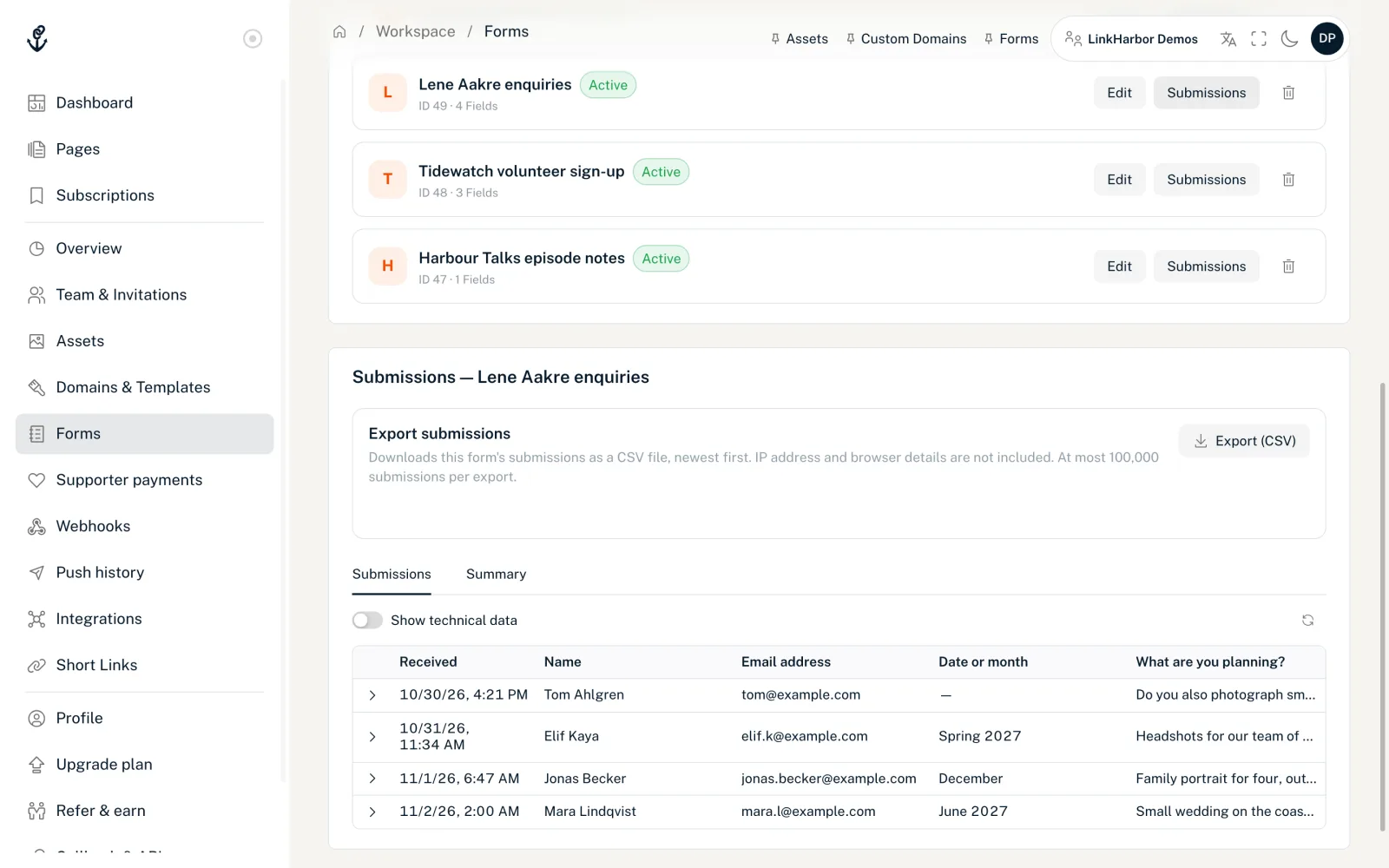
The export is available from Creator Pro, for editors, admins and owners. The CSV file contains the time, page and all form fields, but no IP address and no browser identifier. More in View and keep submissions.
Deleting submissions
You currently can't delete individual submissions in the dashboard. These options are available:
- Deletion period
- An automatic deletion period removes all submissions older than the set number of days (1–3650). It can currently only be set via the API.
- Support
- If one person's submission has to be removed, write to our support team with the name of the form and the time of the submission.
Requests LinkHarbor answers
For data that LinkHarbor manages itself, refer the person to privacy@linkharbor.com:
- Data from visits to your page, such as the visitor ID in the cookie
- Data from followers, such as their LinkHarbor account and their subscriptions
- Data from signing up for LinkHarbor
Followers can also delete their account themselves at any time, in the app or in the web dashboard. See Your account in the app.
Prevention
- Only ask for what you really need in forms
- Set a deletion period so old submissions don't stay around forever
- Export submissions to your own system and then delete them in LinkHarbor once you no longer need them there
- Explain in your privacy notice how long you keep submissions, see Imprint and privacy on your page
You might also find this useful
Nothing found?
Tell us what you need, and our support team will help you personally.